eobdtool

eobdtool
Welcome to eobdtool.co.uk
显示标签为“Opel OP-com”的博文。显示所有博文

2017年5月17日星期三

How to program Code Index Opel Zafira B by OPCOM V1.70?

Here you will know how to program Opel Zafira B Code Index by OPCOM Firmware 1.70? Check step by step as below:

OP-COM Opel Code Index Programming Steps
Open OPCOM VAUX-COM 12309a software and go to "Diagnostics".
Select car year and car model: 2008 Zafira-B.
Go to "Information System".
Choose "DIS (Info Display TID, BID, GID, CID)
Select Diagnostic Connector: MS CAN
Wait and CAN enable.
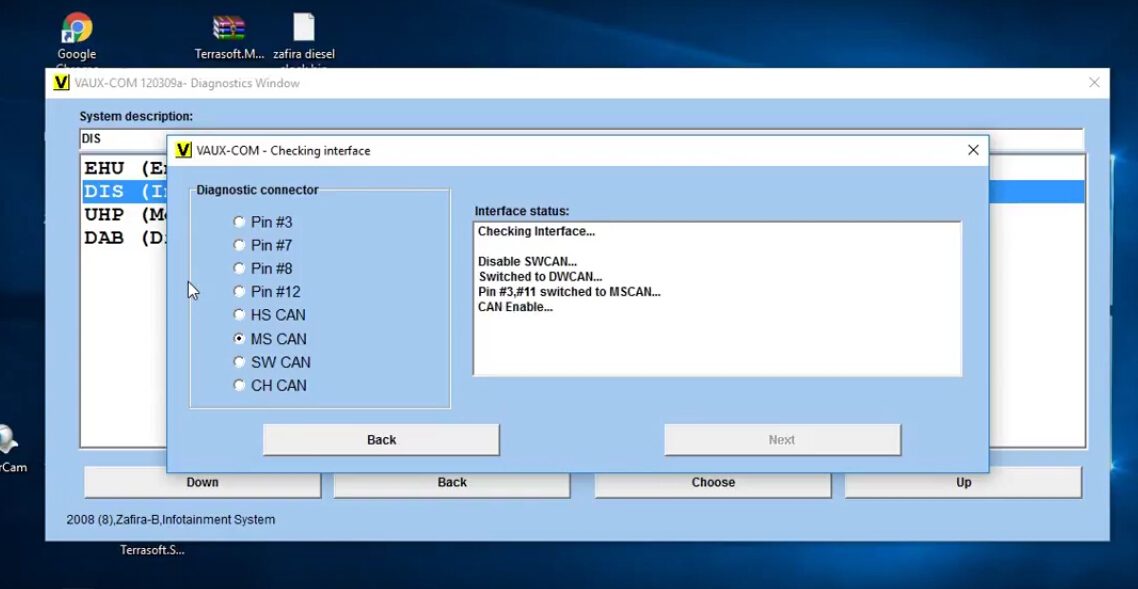
Then OP-COM will show all vehicle information as below, click "Programming".
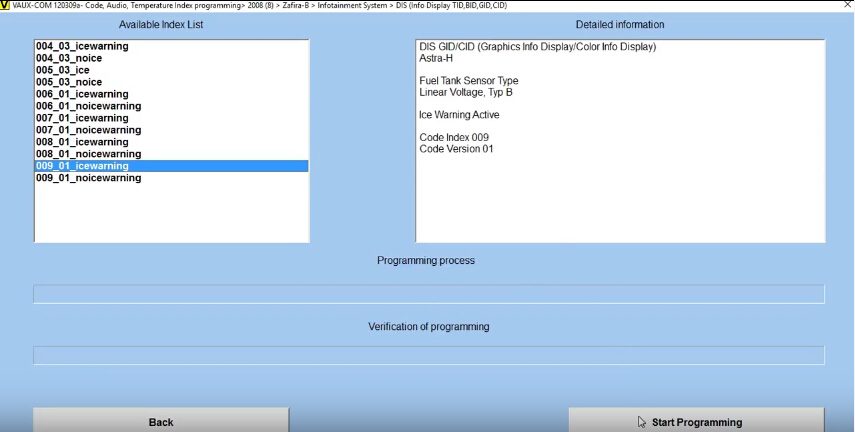
Choose "Program Code Index" function.
Just choose one of index from the available index list, click "Start Programming" button. Then wait the process complete!
Now Opel Coe Index Programming done by OPCOM China Clone V2014 FW V1.70!
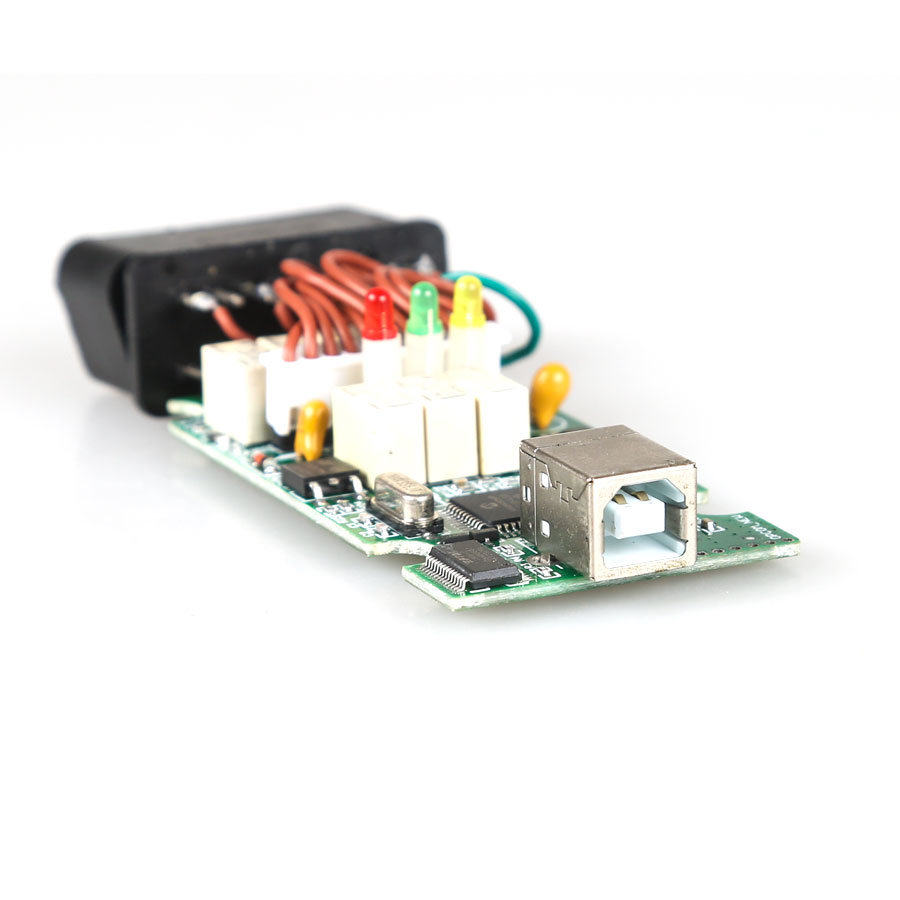
Note: OPCOM Firmware V1.70 with single layer PCB like the original PCB!
Only €20 free shipping here:

OPCOM Firmware 1.70 1.65 1.59 1.45 1.39 PCB Download Free

Opel Opcom PCBs for you! 2017 new Opcom firmware v1.70 v1.65 and old Op-com v1.59 v1.45 v1.39 PCBs all available… Here you go.

OPCOM fw 1.70 1.65 1.59 1.45 1.39 PCB download:
Opcom firmware 1.59 PCB
There are two versions of op-com firmware 1.59
Opcom with item no. sp105
Opcom with item no. sp105-b
Opcom 2009 / opcom firmware 1.39 PCB
Opcom firmware 1.70 1.65 1.59 1.45 download:

VAUX-COM 120309 software download:

Opcom user manual download:

Opcom firmware 1.70 vs Opcom fw 1.65 vs Op-com fw 1.59 vs Op-com fw 1.45

Opel Opcom china clones are different from the PCB design but have the same functions via vaux-com software.