eobdtool

eobdtool
Welcome to eobdtool.co.uk

2015年9月8日星期二

How to program Opel Corsa ECU with Op-com CAN OBD diagnostic tool

What you need:
Op com China clone 2012V CAN OBD diagnostic interface
A laptop running windows XP mode
Vehicle security code
Vehicle model example:
Opel Corsa 2005
Step-by-step instructions:
Install Op-com diagnostic software
Connect Op-com diagnostic interface with vehicle via OBD socket
Select Diagnostics from main menu


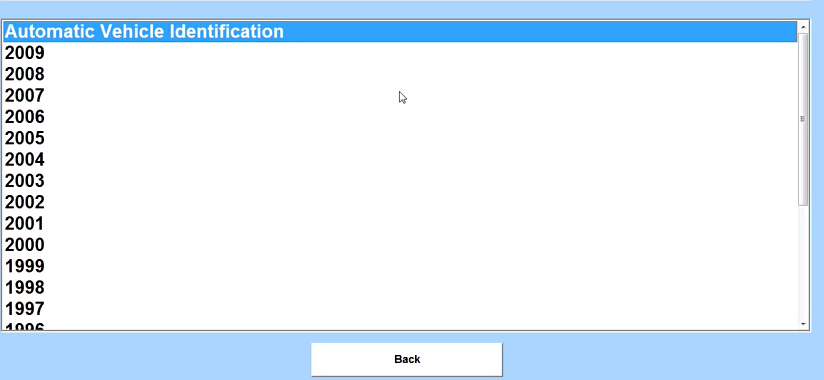
Select Automatic Vehicle Identification
Select KWP2000 and choose correct diagnostic connector

Wait until the system detects Control unit parameters


Check and confirm vehicle information
Select engine type/code and choose diagnostic connector

Select Body control module


Select Immobilizer and choose correct diagnostic connector


Click Special Functions on the right column. Enter the security code enable all functions. Many option icons are gray (invalid), you need to enter the security code to enable all of them.  

Select corresponding function, here is the function list:
Read ECU Identification
Read Immobilizer
Reset Engine Control Module
Erase Transponder-Keys


Select Read Immobilizer, click Yes,
Select Reset Engine Control Module, click Yes


Select Programming on the right column
Enter vehicle security code to start program functions
Following ECU program function are available:
Program Immobilizer Function
Program Immobilizer Output
Program Transponder-Keys NEW
Program Transponder-Keys OLD
Vehicle Identification Number Programming
Program Mechanical Key Number
Select specific Program Function, choose the programming routine
For example, select Program Immobilizer Function, choose Immobilizer installed from the drop-down list


Go back to the main menu or exit the Op-com software program if complete ECU programming procedures. 

How to enable Opel Astra remote closing window with Op-com CAN OBD tool

Equipment:
A laptop running Windows XP home

Vehicle model:
Opel Astra-H 2006

Activating Opel remote windows closing function step-by-step instructions:

Install Op-com diagnostic software
Connect Op-com OBD tool with vehicle via OBD socket
Run OP COM China clone car diagnostic software
Select “Diagnostics” in main function menu

Select “Automatic Vehicle Identification”

Select vehicle protocol “CAN” and correct diagnostic connector “HS-CAN”

The system will display vehicle control unit information and detail vehicle information
Select “Diagnose ECM”


Select engine type/code and again confirm correct diagnostic connector


Select “Engine” in ECU control module selection menu


Select “REC (Rear Electrical Centre)” and confirm correct diagnostic connector


Select “Programming” option on the right column
Click “Security Code” and manually enter the number, press OK


Select “Program Variant Configuration”, click “Next”


There are many variant configuration options to choose. Find out and locate “Windows Comfort Choosing” by press “Next” button on the right bottom
Change the windows closing status to “Present”, click “Save” to save setting
Back and exit the op-com diagnostic software program. Test the result.


How to use OPCOM to program remote central locking

Here I would like to share a guide on how to guide to programming a NEW REMOTE CENTRAL LOCKING BOARD to your Astra Mk4 via op com 1.59.

You will need the following tools:
1. NEW remote central locking board (PCB).
2. A key for the vehicle.
3. Your Security Pass for the car.
4. Op com interface and software.
5. A laptop to run Opcom software.
Here is the instruction:
1. Put the new remote central locking board into your key.
2. Put the key into the ignition and turn so the battery lights etc come on, but do not start the car.
3. Connect opcom to the laptop and the car.


4. Start up opcom and click on DIAGNOSTICS.
5. Select year of car.
6. Select model of car.
7. Select BODY.
8. Select CENTRAL DOOR LOCKING.
9. Select PROGRAMMING.
10. Select SECURITY CODE from menu (this should be the only one available at the time).
11. Enter your SECURITY CODE and click OK.
12. Select PROGRAMMING REMOTE CAR KEY from menu.
13. Now just follow the on screen instructions.
14. Click on CLOSE.
15. Exit the software and disconnect OP COM China clone interface.
16. Open and close door, now try locking your door and then dead lock it. Once you have done this unlocked and all should be done.
Opcom OP-Com 2010 V Can OBD2 Opel:

2015年9月7日星期一

How to set 2010 Opel Zafira-B speed control lock with Op-com CAN OBD2 tool

Speed dependent lock function:

Speed dependent lock can prevent people entering the car and children getting off the car when parents are absent. By setting it, the front doors can be open from inside but the back doors can not be opened from inside, so that the children's safety would be guaranteed.

How to enable/activate Speed dependent lock with op com China clone:

Vehicle model: 2010 Zafira-B 1.8

OBDⅡDiagnostic cable:


Instructions:

1.       Install Op-com 2010V software
2.       Connect opcom CAN OBD2 cable with vehicle via OBD port
3.       Select Diagnostic in the main function menu
4.       Select vehicle year: 2008
5.       Select vehicle model: Zafira-B
6.       Select Body
7.       Select REC
8.       Select and click program on the right in REC interface
9.       Select Security code
10.   Manually enter the Security code
11.   Select Program variant config
12.   There are many function options, select Speed dependent lock
13.   Set Speed dependent lock status from NOT PRESENT to PRESENT
14.   Select Program and save settings
15.   Exit op-com software program
16.   Press the central lock button for 3 sec until the red indicator light turn off
17.   Setting is complete

18.   Drive a road test. If it does not work, repeat Step 15 and it will work.